Style Snapshot Studio
Review
Style Snapshot Studio keeps its scope narrow and executes it cleanly. The three themed characters give the wardrobe meaningful variety, and the drag-and-drop interface removes any barrier to entry. The photo capture feature adds a practical reason to finish an outfit rather than abandon it. The absence of social sharing limits how far creations can travel, but the relaxed, open-ended structure suits players who want low-pressure creative expression on desktop or mobile.
About
Character Themes and Wardrobe Choices
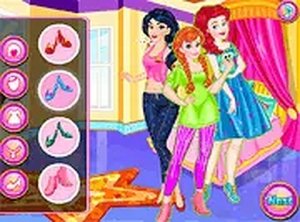
Style Snapshot Studio begins with a choice between three characters, each built around a distinct visual theme. That starting decision shapes the wardrobe you work with, since each character has her own style preferences and clothing options. The available pieces include tops, skirts, shoes, and accessories such as necklaces, tiaras, and handbags. Because the item pool differs by character, switching between them is the main way to explore different aesthetics, from casual and sporty to elegant and whimsical.
Building Outfits by Drag and Drop
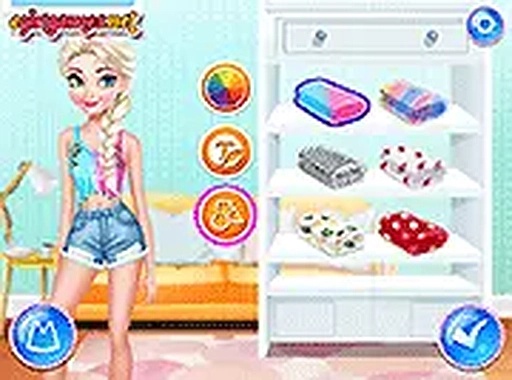
The core activity is assembling a complete look. You browse the wardrobe, then drag and drop clothing pieces onto the character to try them on. There are no right or wrong combinations, so mixing items across themes is allowed and often produces the most interesting results. The goal is to create an outfit that feels right for the character and the photo contest setting. The interface uses only clicks or taps, with no complex menus, which keeps the process accessible for younger players and anyone new to dress-up games.
Photo Capture and Comparison
Once an outfit is complete, the in-game photo feature captures the final look. This lets you save favorite creations and compare different outfits side by side. Taking multiple photos is a practical way to decide which combination stands out most. The photo tool adds a layer of satisfaction because your creative work is preserved rather than lost when you change clothes. It also gives you a natural way to share results with friends or family, though the game itself does not include social sharing features.
Accessibility and Play Sessions
All interactions are performed through clicks or taps, and the responsive design runs smoothly on desktops, tablets, and smartphones. There is no learning curve, so players can start dressing up immediately. That makes Style Snapshot Studio suitable for short play sessions as well as longer creative exploration. The open-ended format does not impose correct choices, which helps build confidence in making aesthetic decisions while keeping the focus on fun and individual expression.
Compatibility
FAQ
Comments
Sign in to leave a note
You must be logged in before posting a review or rating.
No comments yet. Be the first to comment!






Editorial Notes